
Warehouse, delivery and production - in one app
Sklado covers a product's whole journey: from release at the factory and storage in the warehouse to delivery to stores and settling accounts with them. Built for businesses with expiry dates, where batches, freshness and precise money tracking matter.
Three workspaces - a role for everyone
Warehouse, Factory and Finance behind one login. Each employee sees only their functions: a driver sees their load, a storekeeper sees receiving and hand-off, an accountant sees debts and reports, an admin sees everything.
Features
Receiving, hand-off, shipping, stock-taking and search - everything is built around the barcode. Fast and free of manual-entry mistakes.
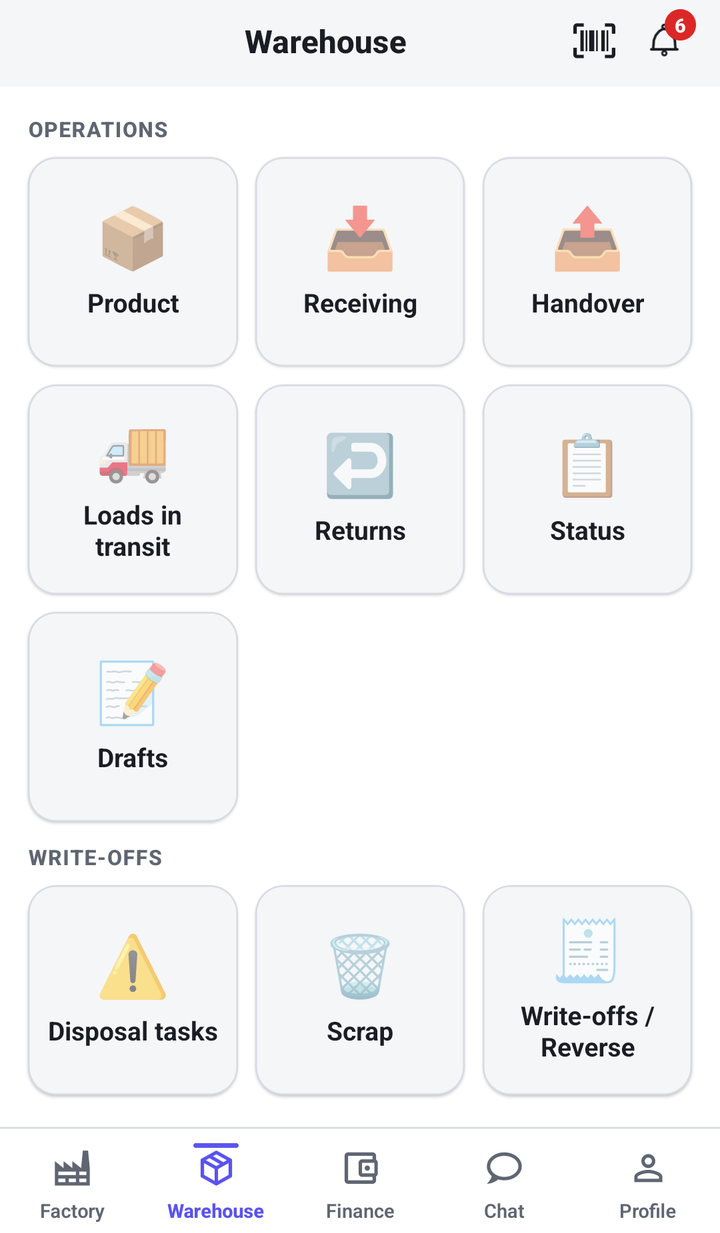
Warehouse: home screen
The warehouse workspace: large operation tiles and quick access to the scanner in the header.
- Receiving, Hand-off, In-transit loads, Returns, Status, Drafts
- A separate "Write-off" block: tasks, defects, acts
- The barcode scanner always at hand
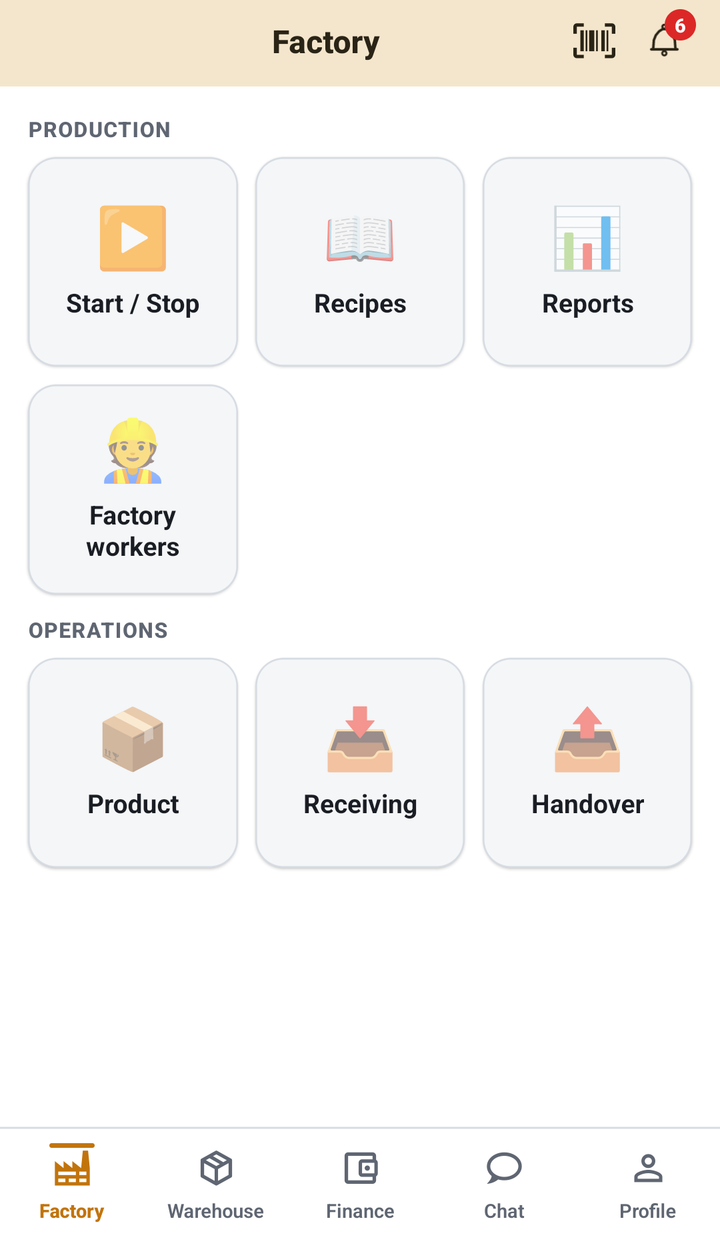
Factory: production
Managing output: launching batches, recipe cards, reports and assigning workers.
- Start / stop production orders
- Recipe cards and output reports
- Receiving raw materials and handing finished goods to the warehouse
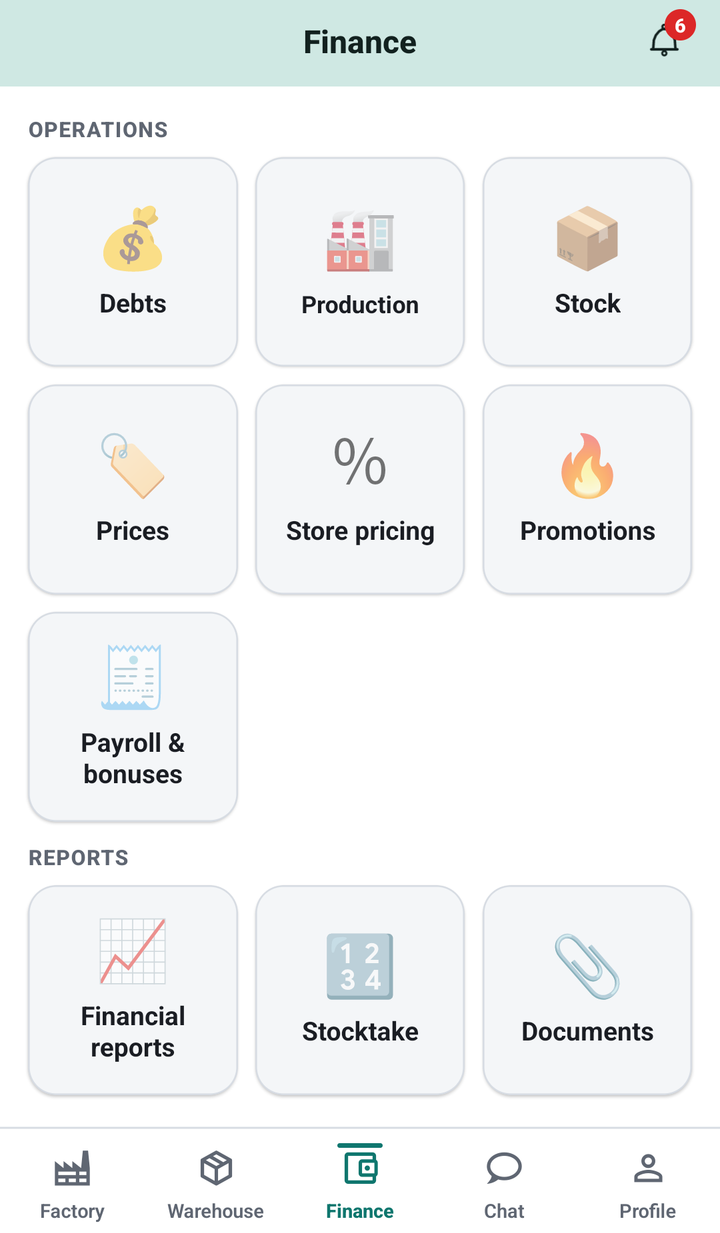
Finance: home screen
The finance loop: debts, prices, cost, promotions, salaries and reports.
- Store debts, prices and markups, promotions
- Employee salaries and bonuses
- Financial reports, audit, documents
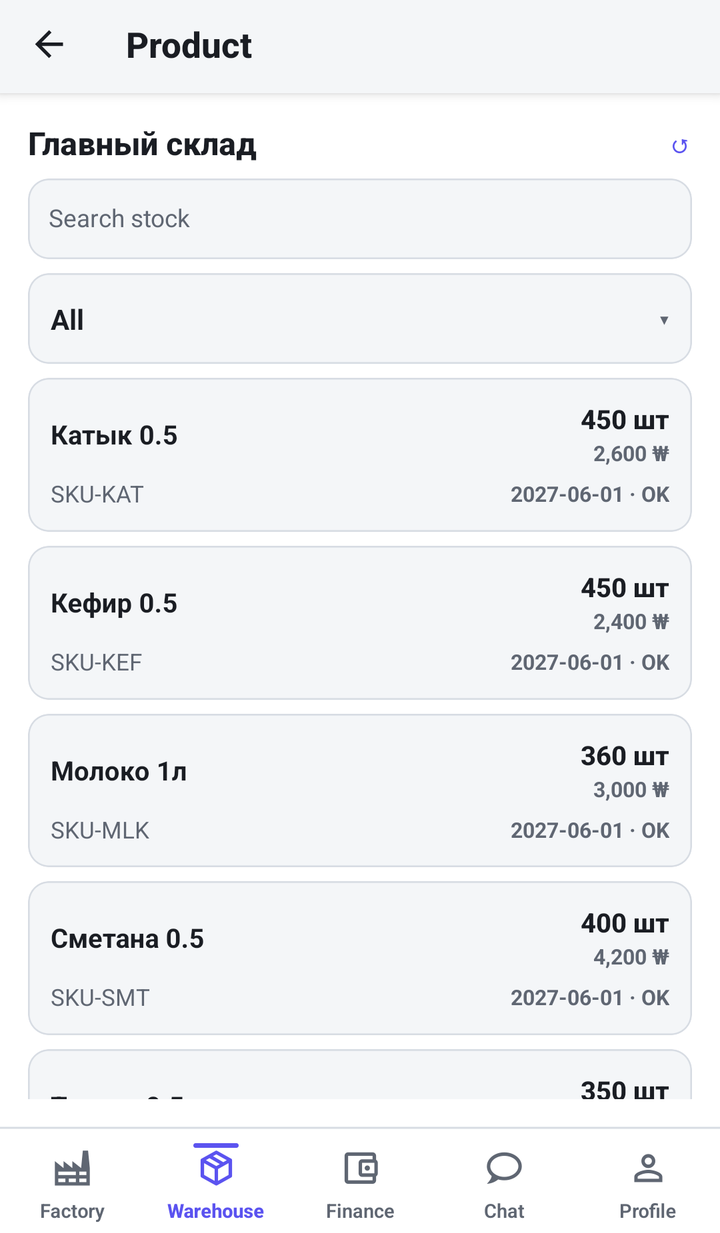
Warehouse stock
Live stock with price, quantity and expiry date for each item.
- Quantity, price and expiry in one line
- Freshness status ("Fresh") and stock search
- Breakdown by location (warehouses, stores, trucks)
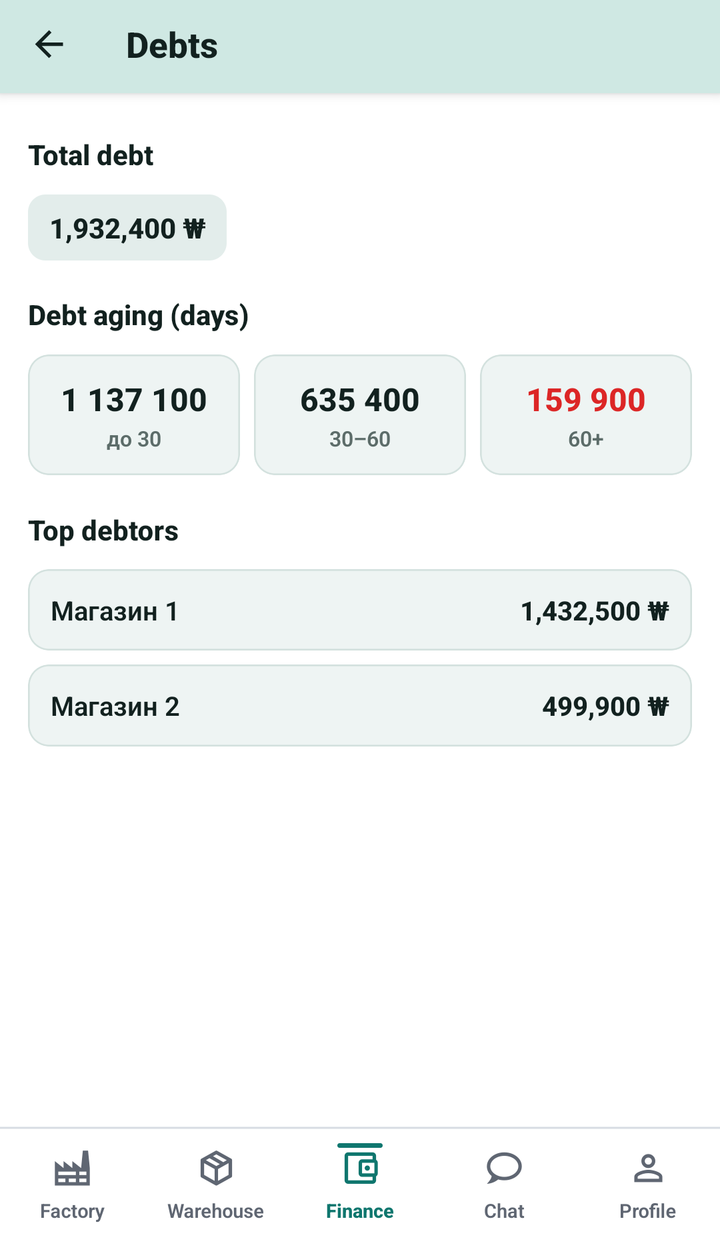
Debts and aging
How much stores owe - you see at a glance where the money is stuck.
- Total debt and a breakdown by age (under 30 / 30-60 / 60+ days)
- Overdue amounts highlighted in colour
- Top debtors in one tap
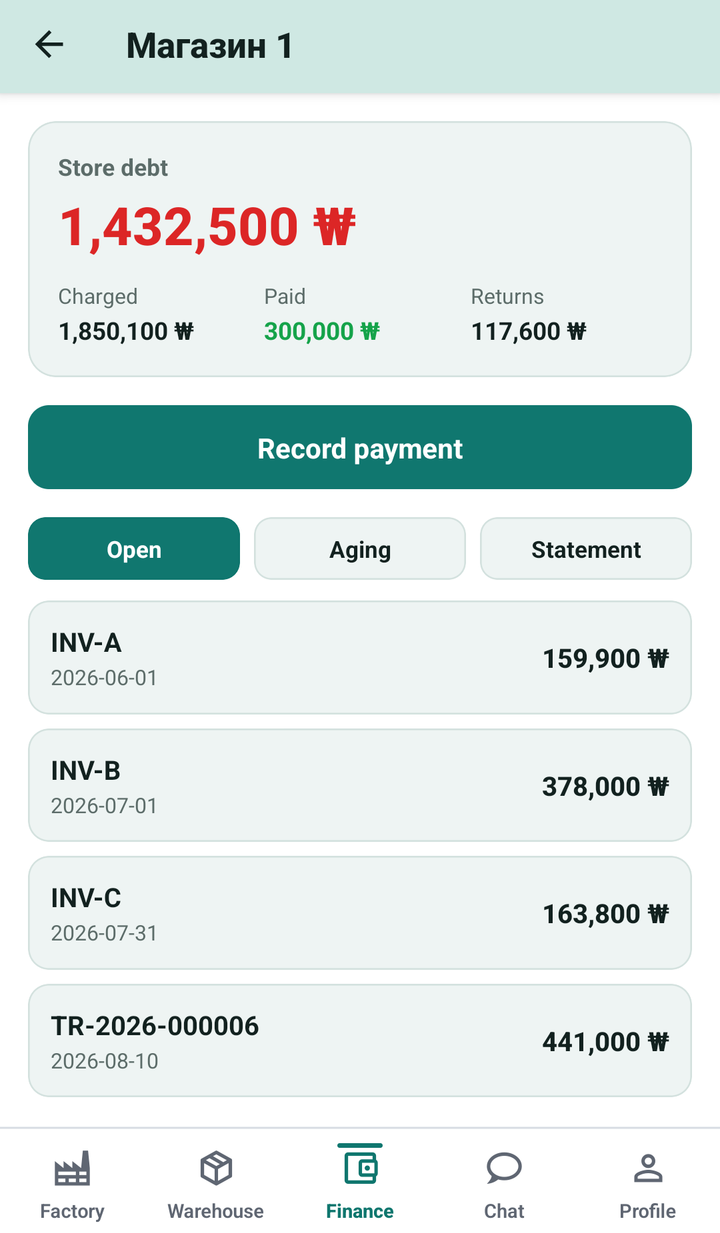
Store account
The store settlement card: debt, charges, payments, returns.
- Store debt and a "charged / paid / returns" breakdown
- Take a payment right from the screen
- Tabs: open invoices, aging, statement
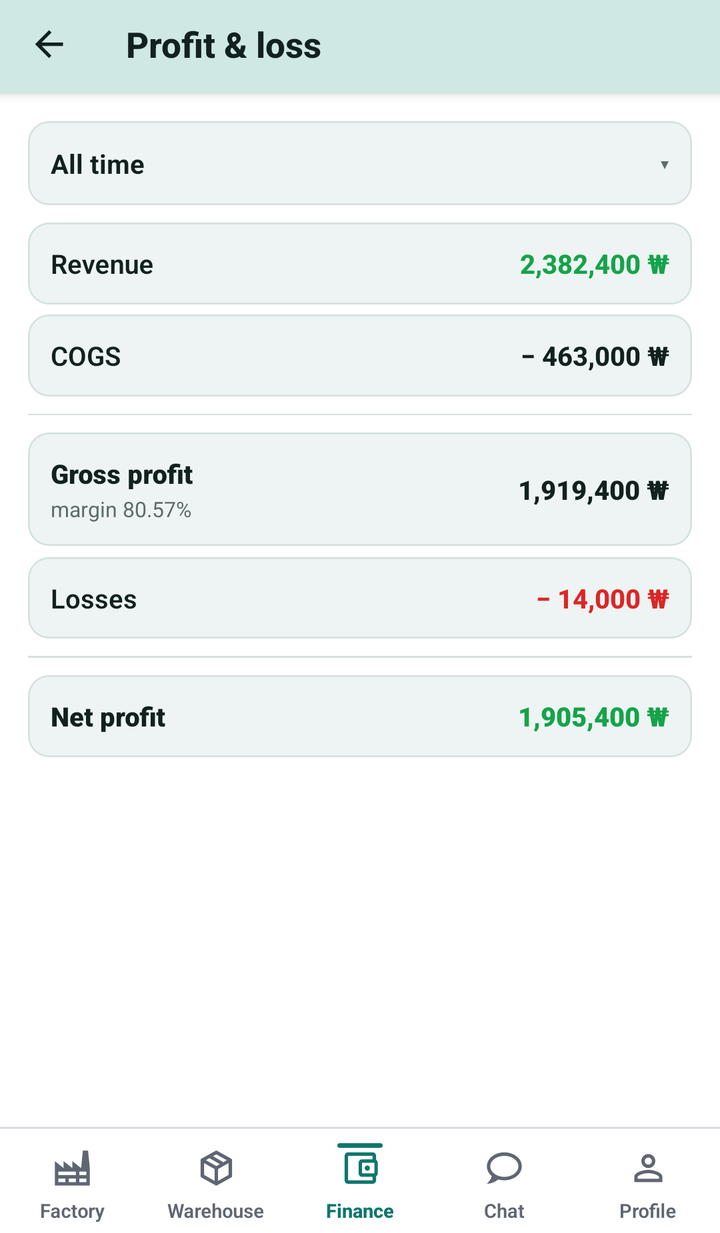
Profit and loss
The financial result for a period - on one screen.
- Revenue, cost, gross profit with margin
- Losses and net profit
- Pick a period in one tap
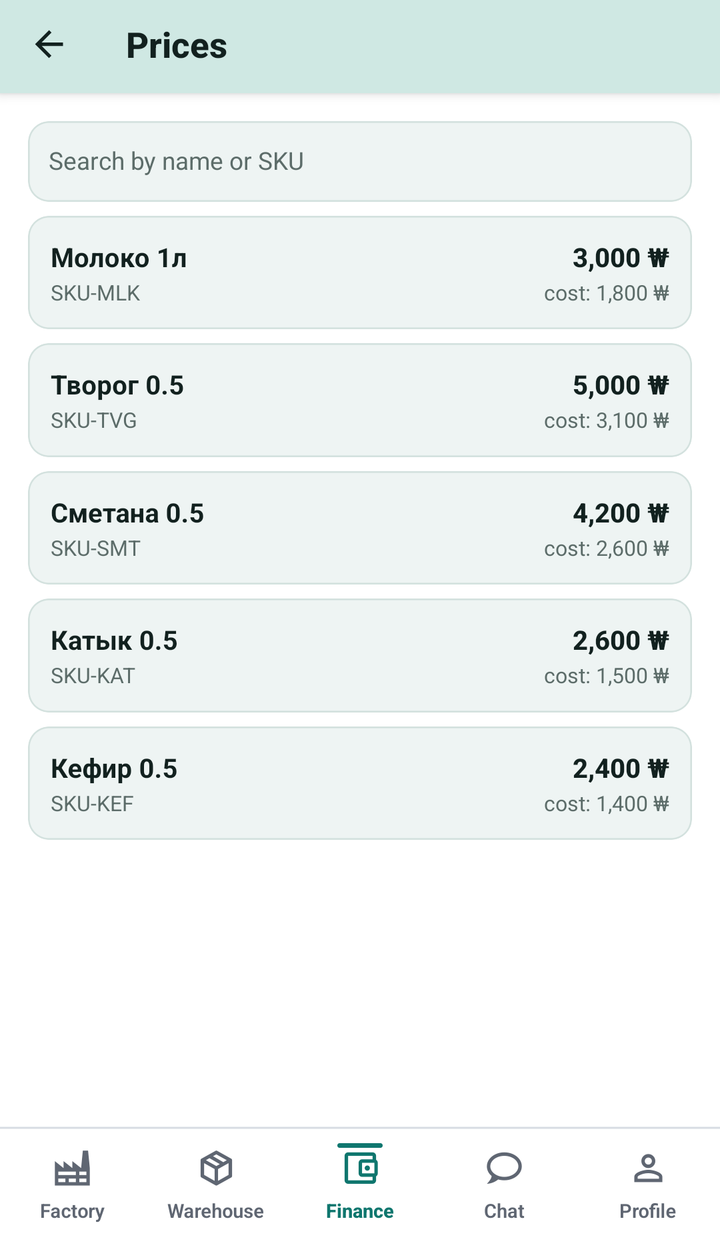
Prices and cost
Managing sale prices and cost for each product.
- Sale price and cost side by side
- Search by name or SKU
- The basis for calculating profit and markups
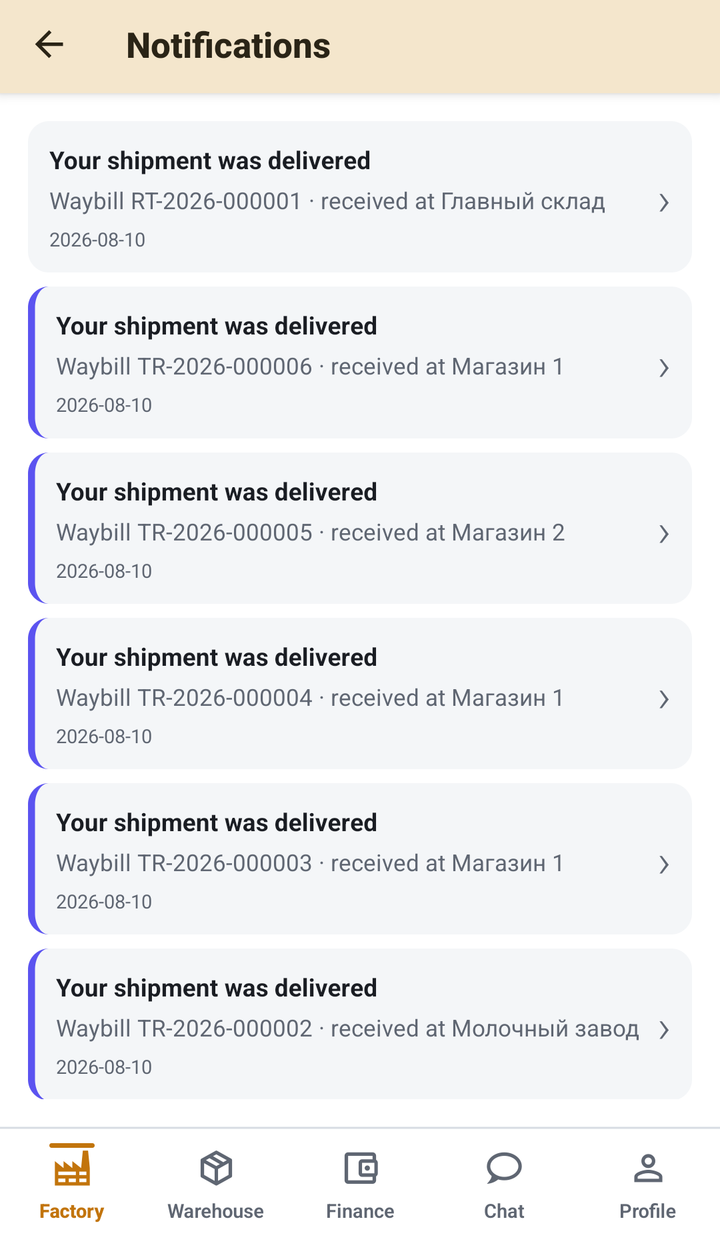
Personal notifications
Each employee gets only their own events - each linking to the document.
- Delivery accepted, load assigned, return
- Invoice number and destination
- One tap and you're in the right invoice
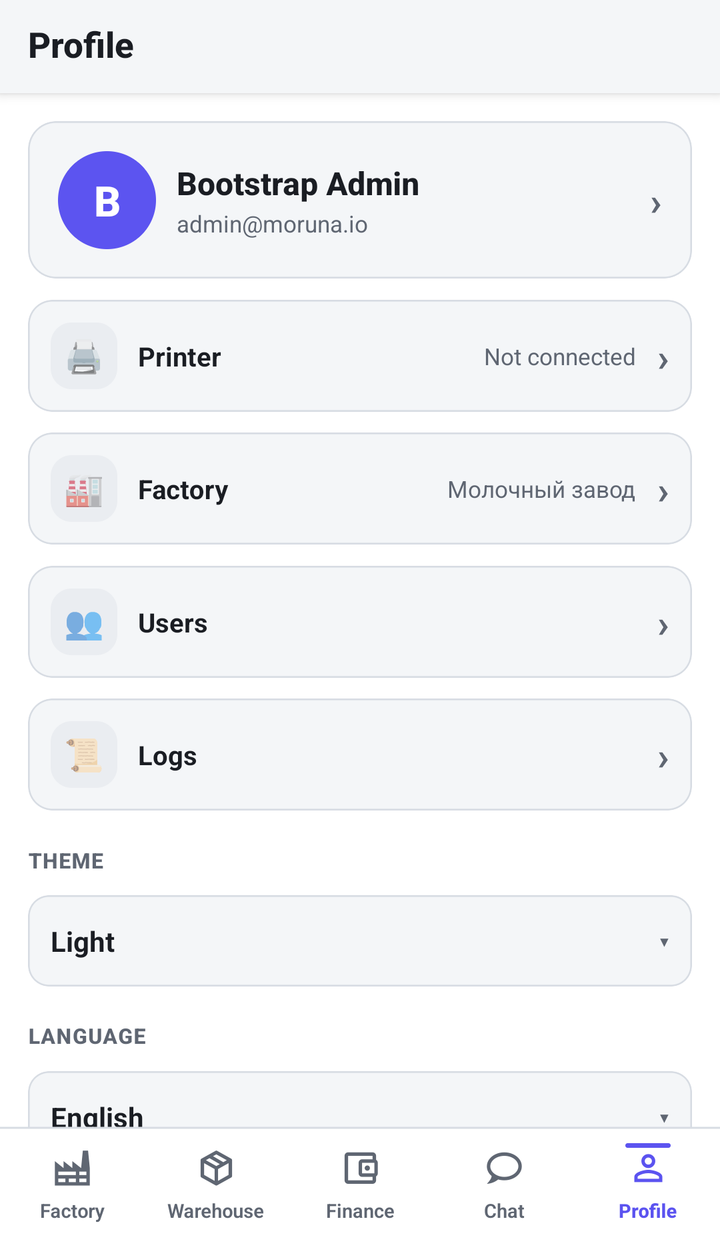
Profile and settings
Personal settings: printer, factory, users, theme and language.
- User and role management
- Switch theme (light/dark) and language (ru/uz/en)
- Label printer connection
Also in the app
Beyond warehouse, finance and production - teamwork and documents are always at hand.
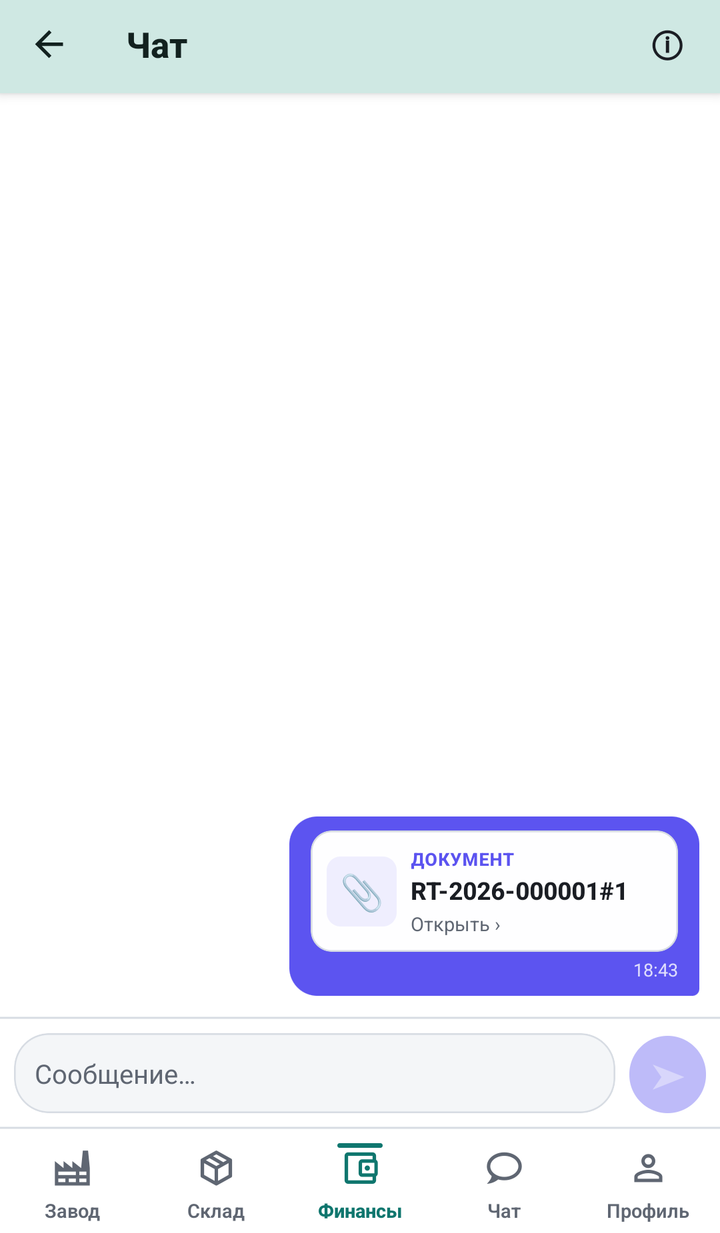
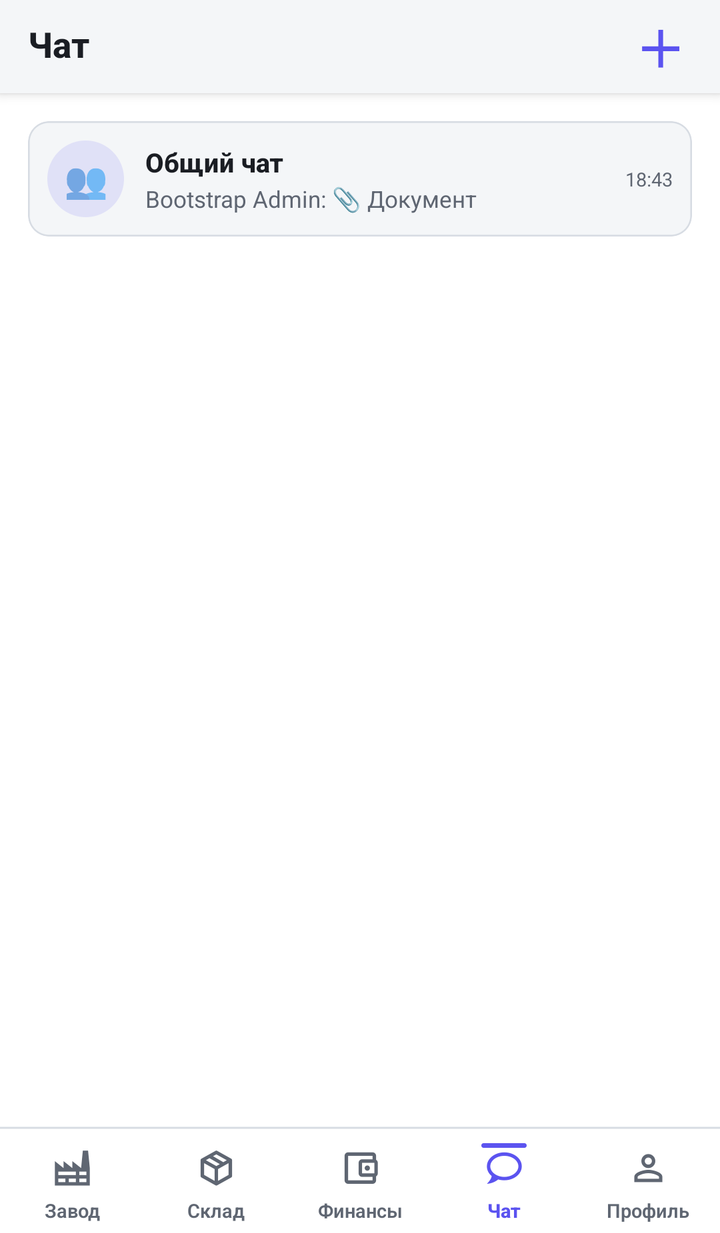
Internal team chat
Communication right inside the app - no third-party messengers. An organisation-wide chat plus private and group conversations. Staff discuss receiving, delivery and questions about invoices where they already work. Data stays inside your system, not in someone else's messenger.
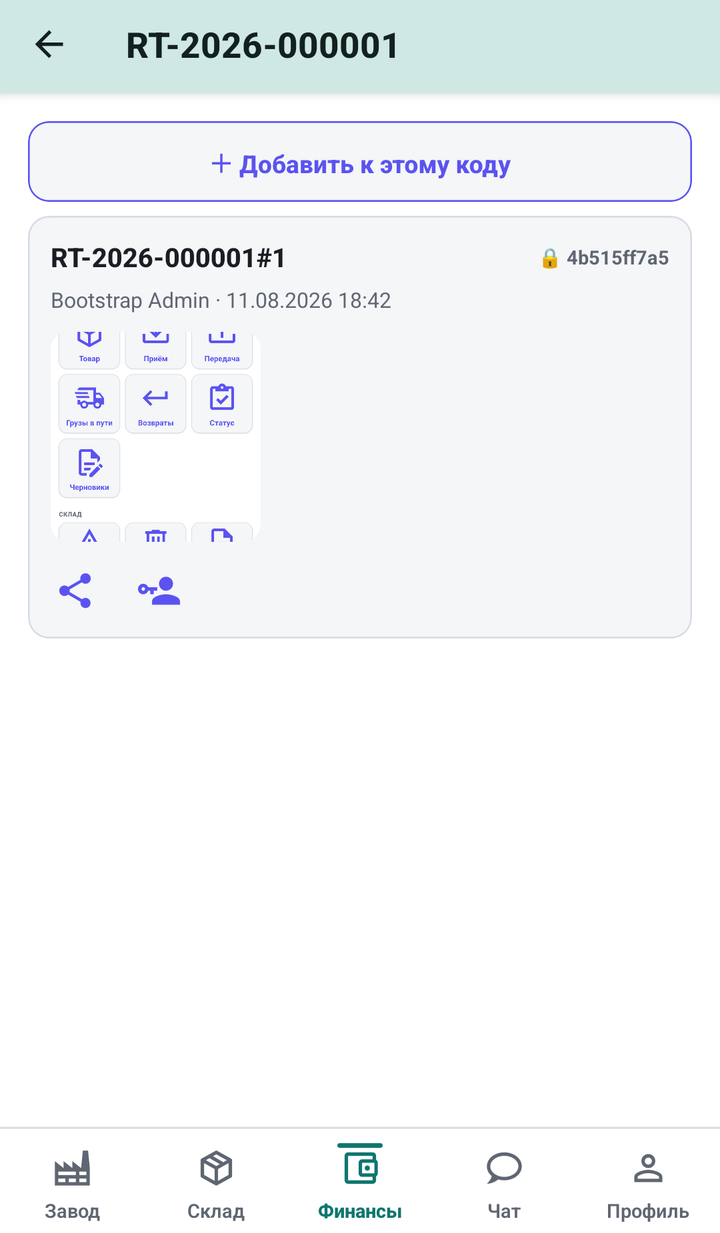
Documents attached to an invoice
Photo documents for every invoice. Attach a photo to any document by its barcode (waybill, act, cargo condition) - snap it, add a note, save. Records are tamper-proof: each one stores the author, time and a content hash (🔒), and the list only grows - nothing can be changed after the fact. Visibility is limited to the invoice participants and their roles. It is a provable history: who attached what, and when.
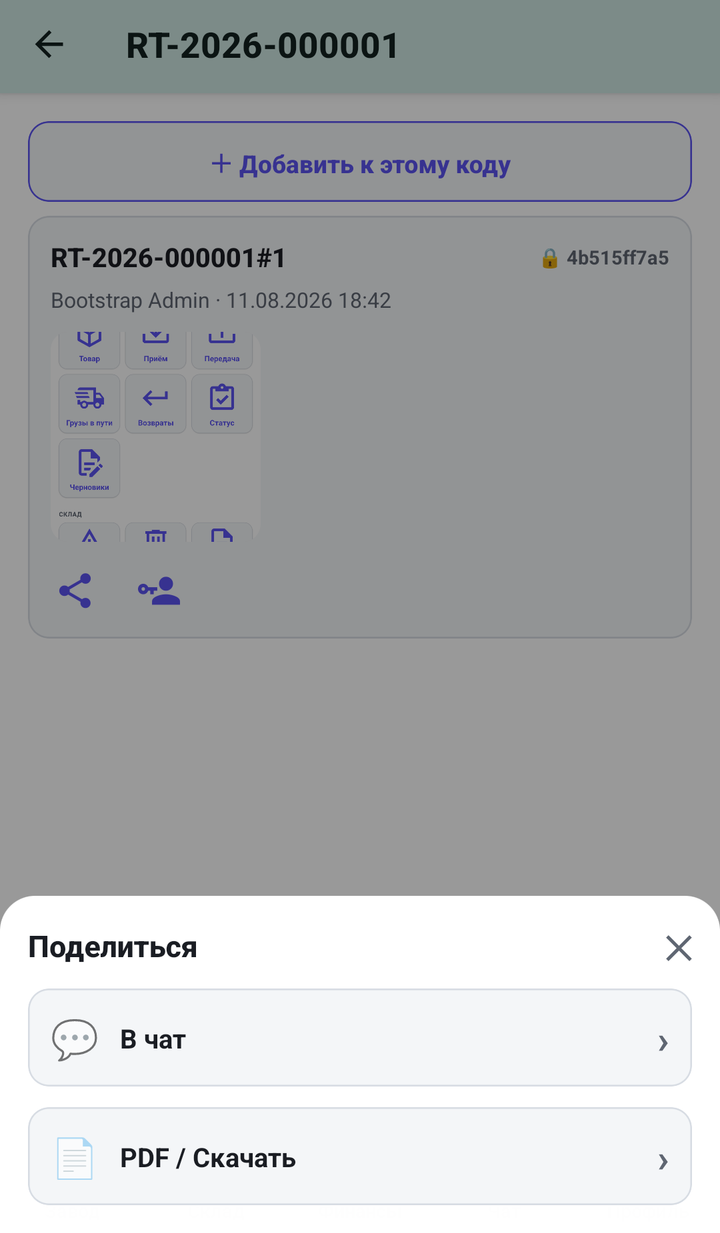
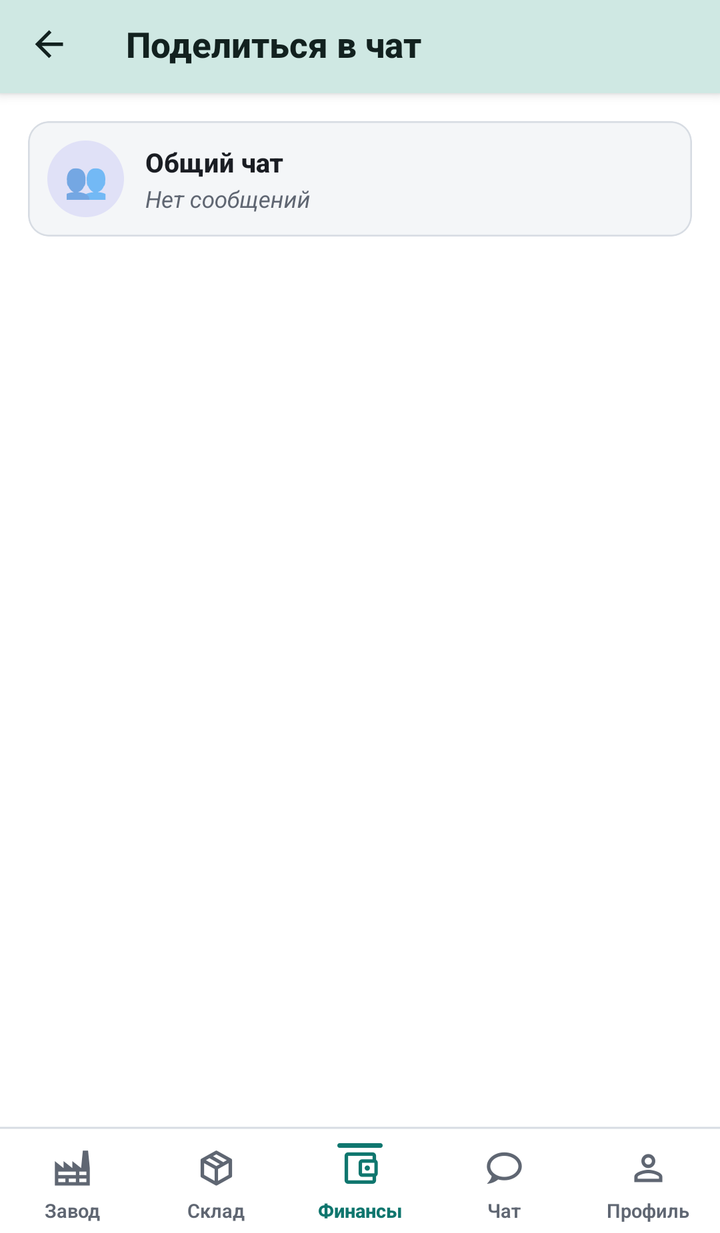
Share a document to chat
Forward a document to a colleague in one tap. Straight from the document card: «Share» → «To chat» → pick a chat → done. The document arrives in the chat as its own card with an «Open» link - the recipient instantly sees the right invoice without leaving the conversation. Alternatively, «PDF / Download» for external channels.
Print invoices and receipts on the spot
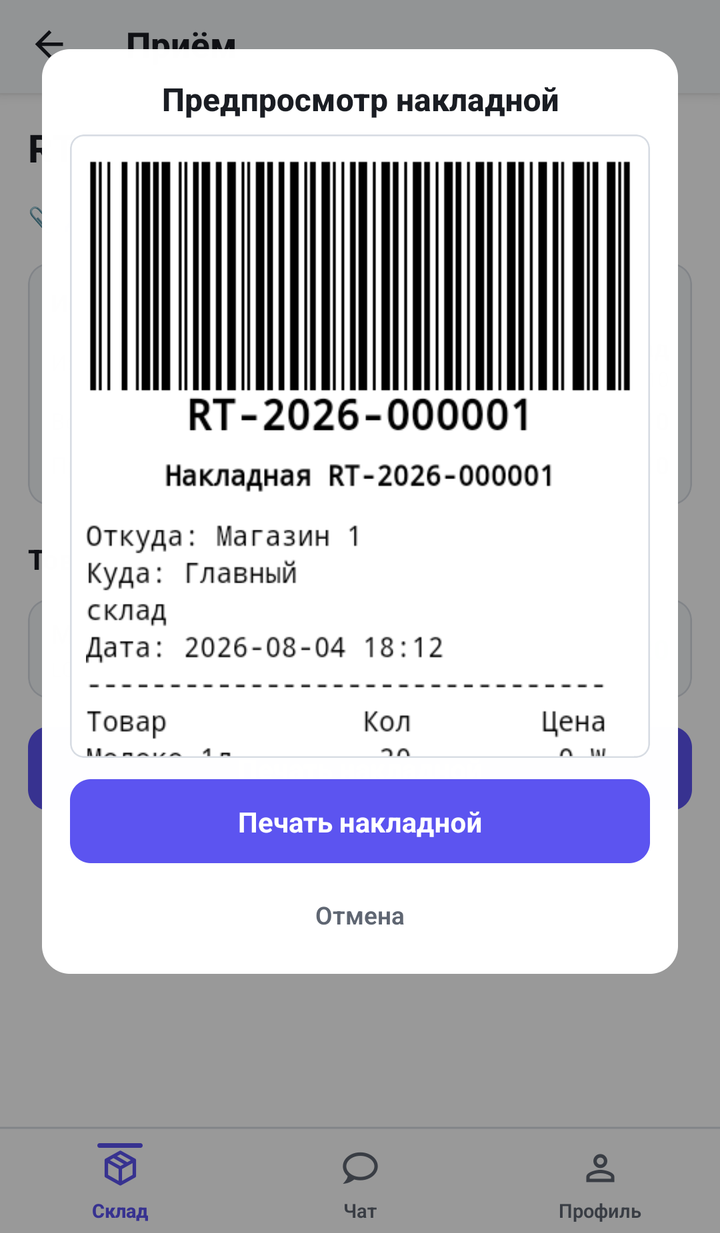
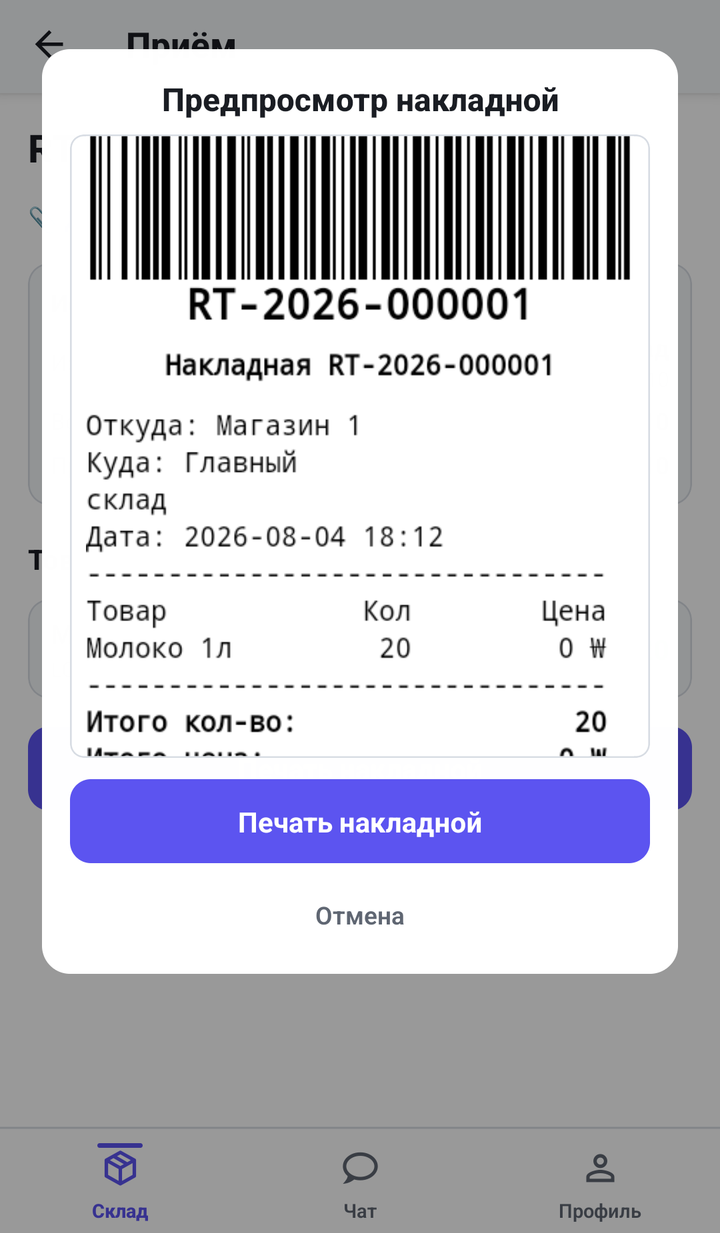
Every receipt, shipment, delivery and return can be printed on a compact thermal printer straight from the phone. At the top of the receipt is a scannable barcode (Code 128) with the document number - scan it again to reopen the invoice instantly. Below: «From → To», date, an item table (quantity and price), totals, the store's balance, signatures of sender and receiver, and a QR code linking straight to the document in the app. The on-screen preview matches the printout exactly - the operator sees the receipt before printing.
Hardware
Scan and print however you like. Connect your own hardware or get a ready-made kit from us.
Scanner - any Bluetooth device or the camera
The app works with any Bluetooth barcode scanner - HID (scanner as keyboard), SPP (Bluetooth Classic) and BLE modes. A cheap pocket scanner or an industrial data terminal both work. No extra hardware required - the phone's built-in camera scans barcodes too. The separator character is configurable per scanner model.
Printer - any Bluetooth thermal printer
Standard 58 mm ESC/POS thermal printers over Bluetooth. The printer is selected and remembered in your profile, with connection status shown at a glance. Print invoices, receipts and labels - with a barcode for re-scanning.
Ready-made kit from Moruna
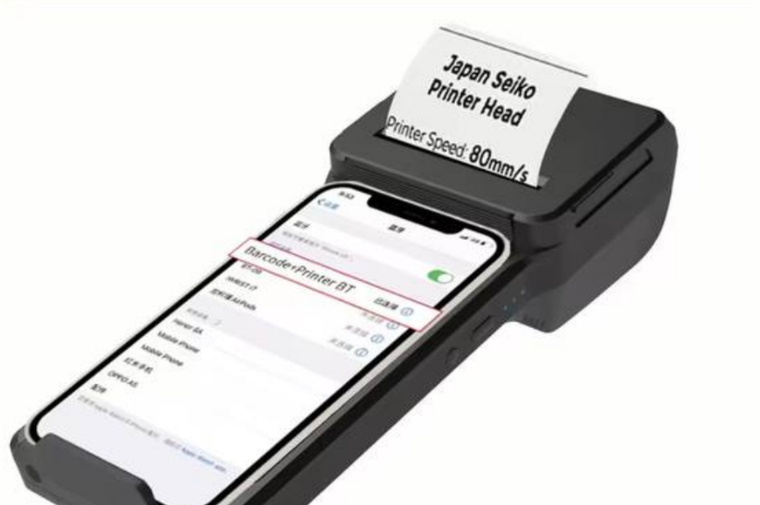
A compact 80 mm/s thermal printer with a built-in scanner - pairs with an Android phone over Bluetooth in seconds. Don't want to source hardware yourself? Take a ready-made one.
Your server, your data
The entire Sklado backend is installed on your own server. Your data lives only on your infrastructure and never leaves it - full control and privacy.
Warehouse, delivery and production - in one app
Our distribution product: receiving, warehouse, production, delivery and money - in one mobile app with a scanner, batches and expiry dates.
© Sklado - a mobile system for warehouse, delivery and production management.